System requirements
Supported platforms, Node version, disk footprint, default ports, and the AVX2 / ONNX Runtime prerequisites Memtrace checks at install and first run.
Memtrace ships as prebuilt platform binaries behind a single npm package. Most machines need nothing beyond Node.js — the platform binary, AVX2 variant, and embedding runtime are all selected automatically.
Supported platforms#
| Platform | Package | Shipped? |
|---|---|---|
| macOS, Apple Silicon | @memtrace/darwin-arm64 | Yes |
| macOS, Intel | darwin-x64 | No — not published |
| Linux, x64 | @memtrace/linux-x64 | Yes |
| Linux, x64 (no AVX2) | @memtrace/linux-x64-noavx2 | Yes, auto-selected |
| Linux, arm64 | @memtrace/linux-arm64 | Yes |
| Windows, x64 | @memtrace/win32-x64 | Yes |
| Windows, x64 (no AVX2) | @memtrace/win32-x64-noavx2 | Yes, auto-selected |
darwin-x64 is present in the installer's platform resolver map but no package is published for it — Memtrace does not currently ship a macOS Intel binary.
Node.js#
The npm package itself requires Node.js >= 18. Node runs the installer and launcher that select the correct bundled platform binary and register MCP config with your coding agents. After that, Memtrace runs from the bundled native runtime for your platform.
Disk footprint#
The default embedding model (jina-code, 768-dim) downloads once on first embed — the first time memtrace start or memtrace index actually runs the embedding pipeline, not during npm install — and is cached at ~/.memtrace/fastembed_cache. Per-repo graph data lives at <cwd>/.memdb — this grows with the size of the codebase and its git history.
| Item | Location | Notes |
|---|---|---|
| Embedding model cache | ~/.memtrace/fastembed_cache | One-time download on first embed; shared across all repos |
| Graph database | <cwd>/.memdb | Per-repo, created on first index |
| CUDA execution provider | Windows NVIDIA hosts only | ~400 MB DLL, fetched and sha256-verified on install; opt out with MEMTRACE_SKIP_CUDA_EP=1, retry later with memtrace gpu install-cuda |
Don't plan disk budget around a fixed size for the default model download — the ~250 MB estimate you may see referenced elsewhere is for the legacy bge-small preset, not the default jina-code model.
Default ports#
MEMTRACE_UI_PORT and MEMTRACE_MEMDB_LOOPBACK_PORT bind loopback-only by default (override MEMTRACE_UI_HOST to expose the UI/REST port beyond localhost). Override any of them if the default is already taken on your machine.
MEMTRACE_PORT, used only when the MCP transport isn't stdio, is hardcoded to bind 0.0.0.0 — all interfaces, not loopback — with no auth layer and no env var to restrict it to localhost. Treat it as network-exposed the moment you enable an HTTP MCP transport.
| Variable | Default | Description |
|---|---|---|
MEMTRACE_UI_PORT | 3030 | Dashboard, REST API, and MCP-HTTP server (shares one process with the UI). |
MEMTRACE_MEMDB_LOOPBACK_PORT | 50051 | Loopback gRPC port for the local memcore-server sidecar. |
MEMTRACE_PORT | 3000 | Standalone MCP HTTP port, used only when the MCP transport isn't stdio. |
AVX2 detection#
Postinstall probes the host CPU for AVX2 support (/proc/cpuinfo on Linux, IsProcessorFeaturePresent(40) via PowerShell on Windows, sysctl leaf7_features on macOS) and silently swaps in the matching -noavx2 package on older CPUs — Ivy Bridge and Xeon E5 v2-era chips without AVX2 still run, just without the faster code path. You can override the probe result:
| Variable | Default | Description |
|---|---|---|
MEMTRACE_FORCE_NOAVX2 | — | Set to 1 to force the no-AVX2 package regardless of what the probe finds. |
MEMTRACE_FORCE_AVX2 | — | Set to 1 to force the AVX2 package regardless of what the probe finds. |
ONNX Runtime#
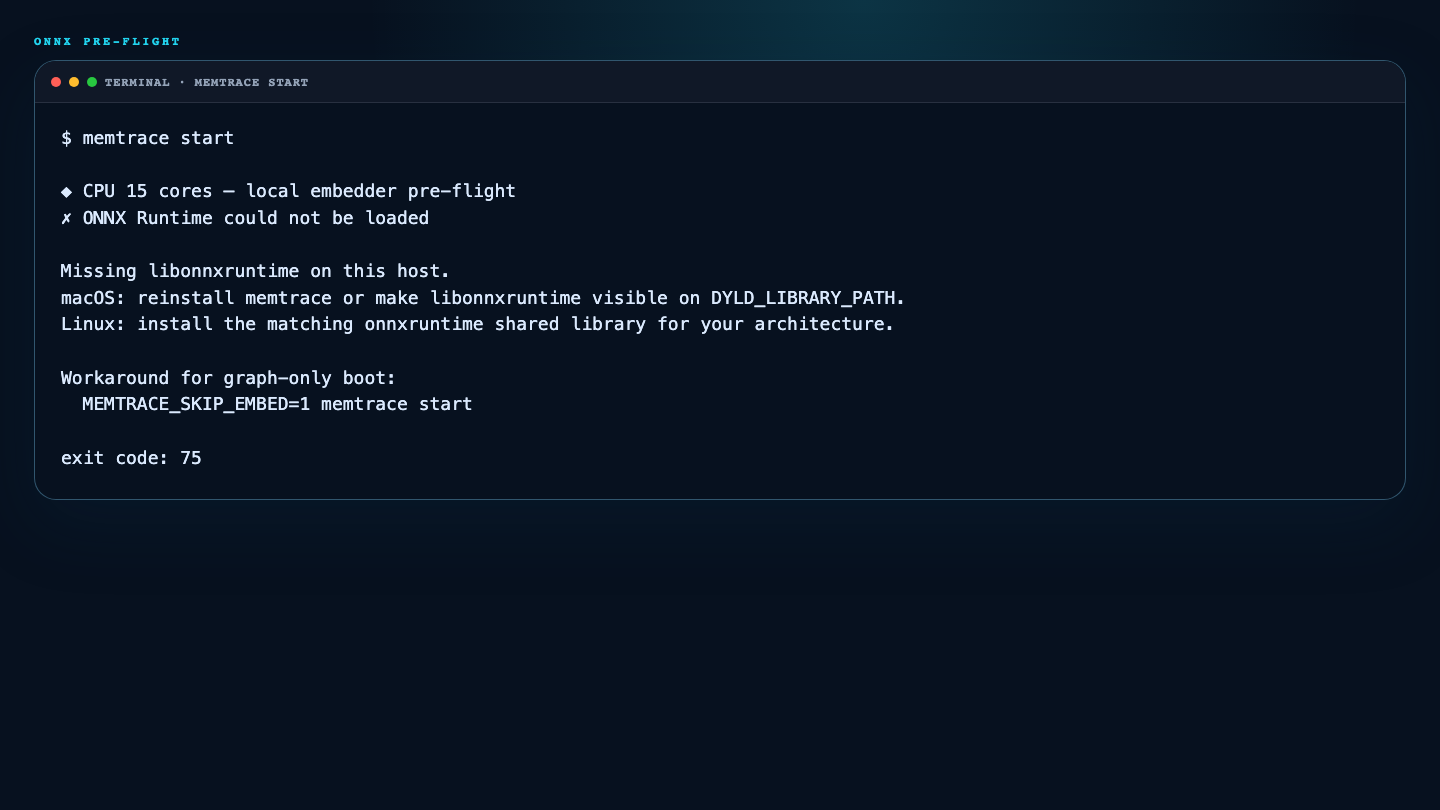
Embeddings run through an in-process ONNX Runtime model — there's no external inference service. At boot, memtrace start does an ONNX Runtime dylib pre-flight before anything else runs; if libonnxruntime can't load, it hard-exits with code 75 and prints a platform-specific hint instead of continuing in a broken state.
| Variable | Default | Description |
|---|---|---|
MEMTRACE_SKIP_EMBED | — | Set to 1 to skip the ONNX pre-flight entirely and run a structural-only graph — no semantic search, but indexing, the graph, and every non-embedding tool keep working. |
If ONNX Runtime won't load on a given host, MEMTRACE_SKIP_EMBED=1 memtrace start is the fastest way to keep working while you sort out the dylib — nothing else in the stack depends on it.