
memtrace install-hooks / uninstall-hooks
Install or remove Memtrace-managed git hook blocks. Pre-push is the default; pre-commit warnings are opt-in.
Usage#
memtrace install-hooks [--pre-commit] [--pre-push] [PATH]install-hooks writes Memtrace-managed blocks into native git hook files underPATH, or the current directory when PATH is omitted. The hooks run from git itself, so they work whether the commit or push is started from a terminal, editor, or agent.
memtrace uninstall-hooks [--pre-commit] [--pre-push] [PATH]uninstall-hooks removes only Memtrace-managed blocks and preserves any other hook content you already had.
Defaults#
With no flags, install-hooks installs the pre-push gate only. Pre-commit warnings are opt-in because they run during a much more frequent workflow.
$ memtrace install-hooks
# installs pre-push only

$ memtrace install-hooks --pre-commit
# installs pre-commit only

$ memtrace install-hooks --pre-commit --pre-push
# installs both hooks
To install both hooks, pass both flags. --pre-commit by itself does not include the default pre-push hook.
Repo discovery#
If PATH is a git repo, Memtrace updates that repo. If PATH is a folder containing multiple repos, Memtrace scans for nested git repos and updates each one it finds, skipping common dependency and build directories such as node_modules, target,dist, and build.
Use a narrower PATH when you only want to install hooks in a subset of repos.
Managed blocks#
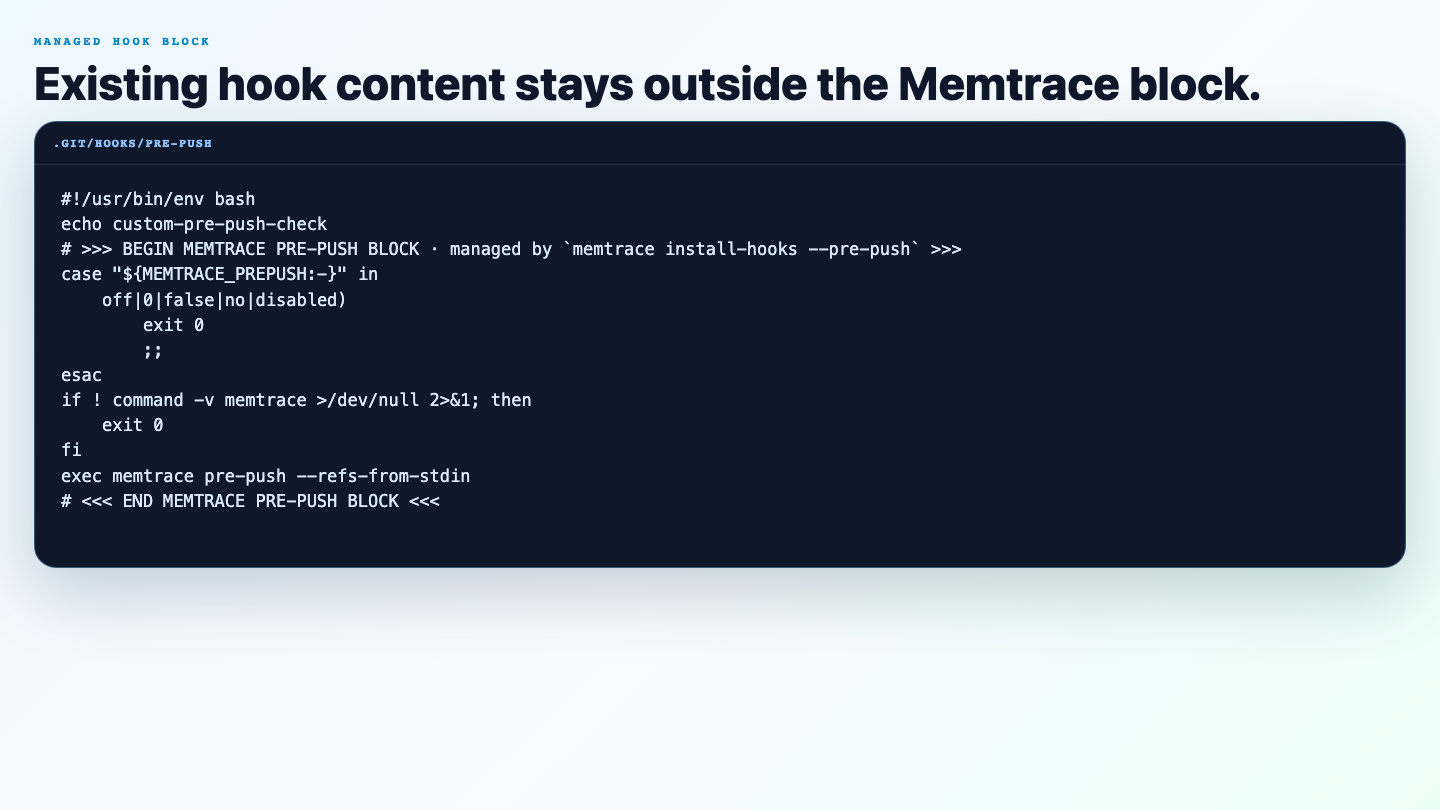
Memtrace writes a clearly marked block into .git/hooks/pre-push and/or.git/hooks/pre-commit. Existing content above or below that block stays intact. Re-running install-hooks refreshes the block in place instead of adding duplicates.
Uninstall#
With no flags, uninstall-hooks removes both Memtrace-managed blocks. Pass--pre-commit or --pre-push to remove only one hook type.
$ memtrace uninstall-hooks
# removes both Memtrace-managed blocks

$ memtrace uninstall-hooks --pre-commit
# removes only the pre-commit block

$ memtrace uninstall-hooks --pre-push ~/code
# removes only the pre-push block under ~/code
Temporary bypass#
You usually do not need to uninstall hooks for a one-off bypass.
| Variable | Default | Description |
|---|---|---|
MEMTRACE_PRECOMMIT | — | Set to off, 0, or false to skip the installed pre-commit hook. |
MEMTRACE_PREPUSH | — | Set to off, 0, or false to skip the installed pre-push hook. |
Git's own --no-verify flag also bypasses hooks for one command.
Examples#
$ memtrace install-hooks
# Default: pre-push only, under the current directory.

$ memtrace install-hooks --pre-commit --pre-push ~/code
# Install both hooks in repos under ~/code.

$ MEMTRACE_PRECOMMIT=off git commit -m "wip"
# Skip the pre-commit hook for this shell.

$ memtrace uninstall-hooks
# Remove all Memtrace-managed hook blocks under the current directory.
See also Git hooks for the feature overview.